
 English
 Português
 Find the Font Used in a Webpage [How-To]
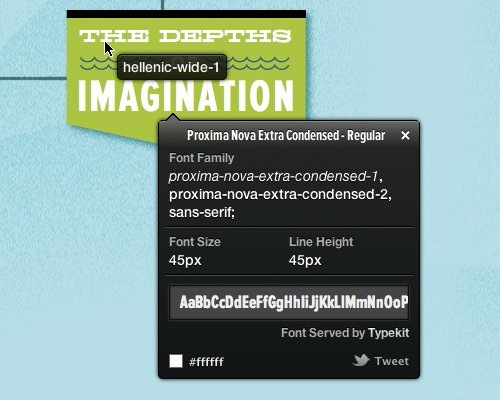
You’re the kind of person that is attracted by the fonts used in a particular webpage and want to find out what fonts are being used? There are a lot of ways to find it out like via CSS, Firebug or Webkit Inspector but none of them are as simple as using WhatFont Tool.
WhatFont Tool allows you to get font information about the text you’re interested in any webpage. It can easily detects services used for servicing the font such as Typekit and Google Font API.
How to Use WhatFont Tool?
WhatFont Tool can be used in form of Bookmarklet, Chrome extension or Safari extension.
Bookmarklet
Drag this  to your bookmark bar to install On any webpage, click your WhatFont bookmark to use the tool. Full support: Firefox 3.6+, Chrome 9+, Safari 4+, Internet Explorer 9. Limited support: Internet Explorer 8.
Once the tool is activated, mouse over any font to check what font is being used.
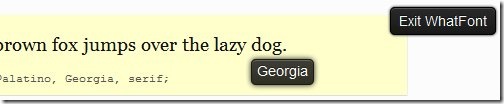
Click "Exit WhatFont" to quit this tool.
Chrome Extension
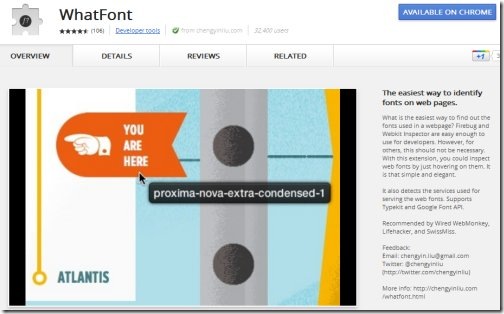
You can also install WhatFont tool via Chrome extension at https://chrome.google.com/webstore/detail/jabopobgcpjmedljpbcaablpmlmfcogm
Safari Extension
Click here to download WhatFont tool for Safari extension. After downloading, open the file to install.
To use it, click WhatFont button on any webapge to check out the fonts used.
This content is also available in: Portuguese (Portugal)


Leave a Reply